Adding Employer Account Users
Once an employer account administrator has created an employer account in MyUI Employer+, additional users can be added to manage the employer account.
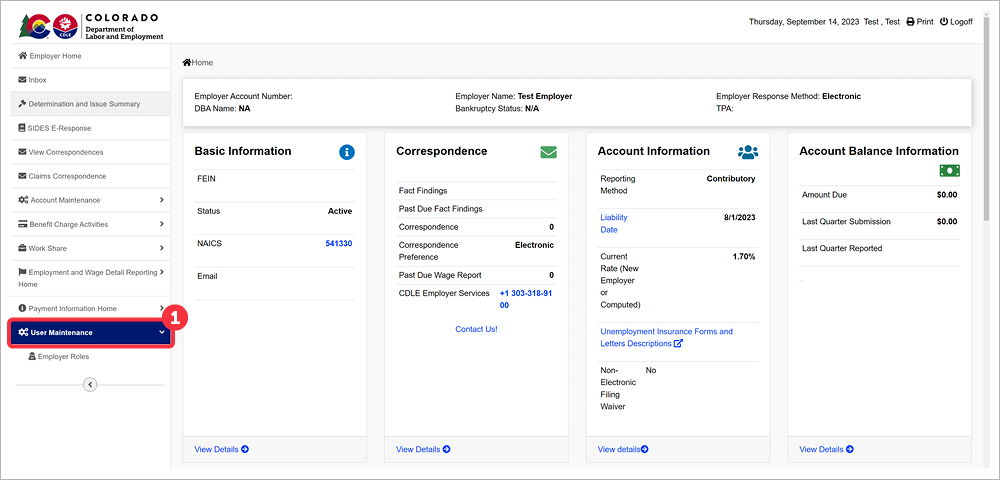
Click ‘User Maintenance’ in the left-hand navigation menu.
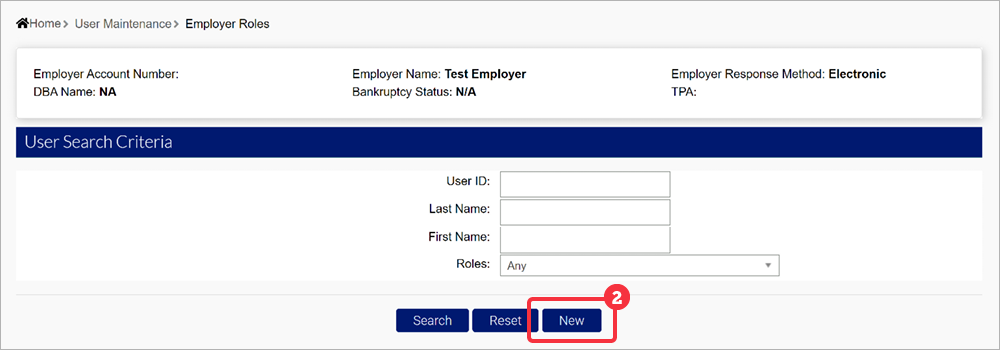
Click ‘New’ to create a new user account.
- Enter the required personal information for the new user:
- First Name - The new user’s First Name.
- Middle Initial - The new user’s Middle Initial.
- Last Name - The new user’s Last Name.
- telephone - The new user’s phone number.
- MFA Cell Number - The new user’s phone number will populate if they select the telephone option when setting up their MFA.
- Fax Number - The new user’s fax number.
- Email - The new user’s email address.
- Confirm Email - Re-type the new user’s email address.
- Effective Start Date - The date the new user’s account will be available.
- Effective End Date - The date the new user’s account will no longer be available.
- Click ‘ Save’.
Accessing A New User Account
Once the new user account has been added, the user will receive an email containing their User ID and a link to create their password.
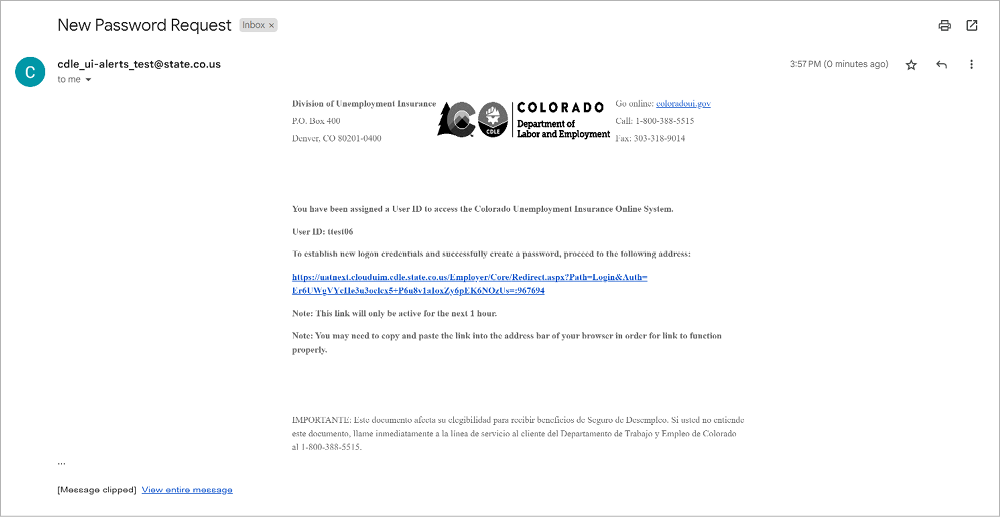
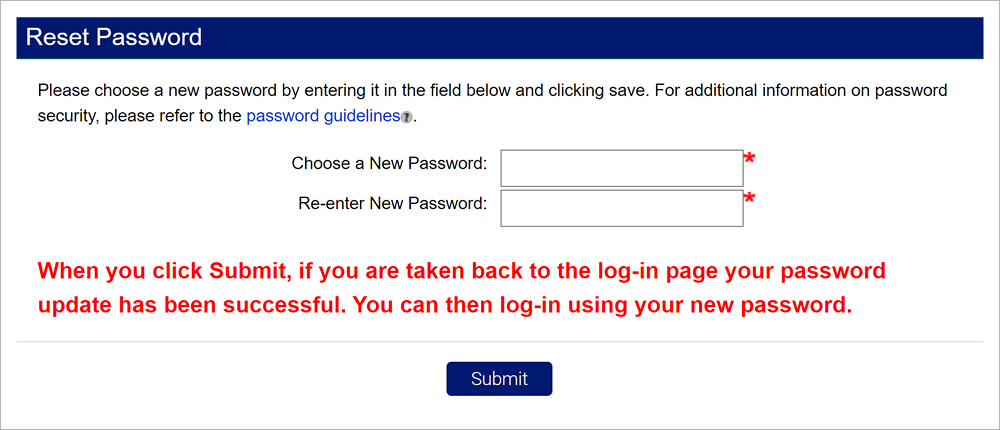
Click the emailed link to be redirected to MyUI Employer+ and create a new password. The tooltip includes password guidelines.
After choosing a password, click “Submit” to be redirected to the MyUI Employer+ login screen.
Assigning New User Roles
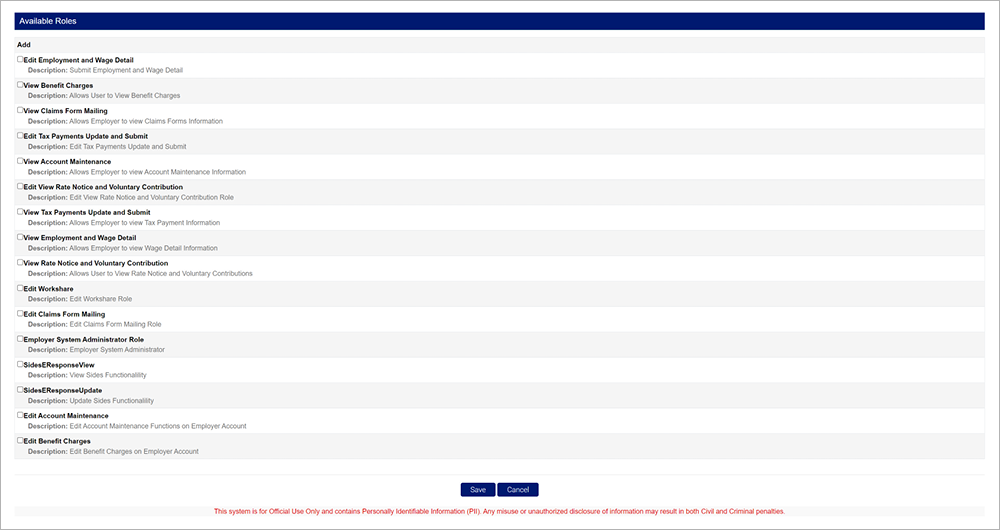
Once the new user account is created, the person who initiated the new account will need to assign roles in order for the new user to have functions they can access in the account. To add roles, search for the user you would like to add or edit roles for.
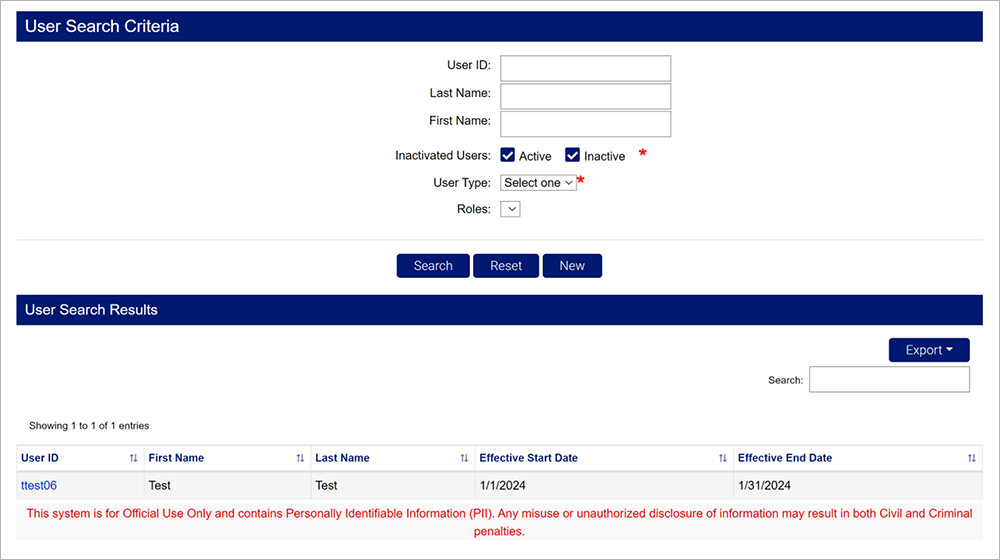
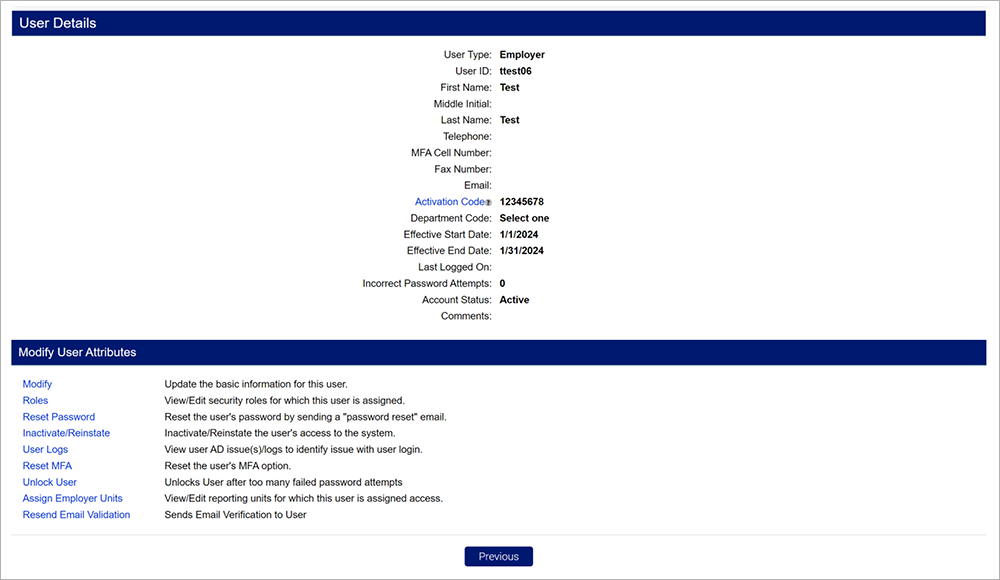
Click the hyperlink on the user ID you would like to add or edit roles for. Click the “Roles” hyperlink on the user profile.
You may select any available roles to add to the user account. The roles include descriptions of the actions the individual can take when that role is added to their profile. Multiple users can be assigned to any role.
Once the roles have been selected, click “Save” to assign them to the user account.